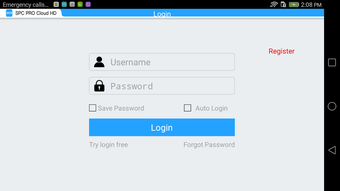

Download SPC PRO Cloud HD APK – video management software, IP camera software, NVR software, UVR software, surveillance software, cloud video management, remote monitoring software, live view software, camera backup software, alarm management software
Overview
SPC Pro Cloud HD is a free video management software designed to support a wide range of surveillance devices, including UVRs, NVRs, IP cameras, and other connected systems. The software enables users to manage video feeds from multiple sources in real time, offering comprehensive tools for monitoring, recording, and reviewing security footage. Its primary purpose is to provide a centralized platform for remote surveillance, allowing users to keep watch over their property or assets from any location with an internet connection.
Target users include homeowners seeking enhanced security, small business operators managing storefronts or offices, and professionals overseeing larger commercial or industrial installations. The software supports real-time live view, enabling immediate visual verification of monitored areas. It also facilitates remote playback and search of recorded events, which is particularly useful for incident review or evidence collection. The ability to back up critical video files ensures data preservation, while built-in alarm management helps users respond promptly to potential threats.
The developer did not provide additional system requirements. Real-world usage scenarios range from residential home monitoring to retail security and warehouse oversight. With no subscription fees or hidden costs, the software offers a cost-effective solution for users who require reliable video management capabilities across diverse environments.
Key Features & Capabilities
- Real-Time Live View: Access live video streams from all connected devices instantly, enabling immediate visual confirmation of activity across monitored zones.
- Remote Search and Playback: Locate and review specific recorded events using time-based filters or event triggers, improving efficiency during incident investigations.
- Video Recording Management: Automatically or manually initiate recordings, with options to store footage locally or in the cloud, depending on device configuration.
- File Backup Functionality: Export and save important video files to external storage or cloud services for long-term retention and legal compliance.
- Alarm Management System: Receive alerts based on motion detection, intrusion detection, or other configured triggers, with customizable notification settings.
- User-Friendly Interface: Designed for intuitive navigation, allowing users with minimal technical experience to operate the software effectively.
These features collectively support a seamless surveillance workflow. For example, a retail manager can monitor store activity in real time, review a suspicious event from the previous day, and back up the footage for insurance purposes—all within the same interface. Similarly, a homeowner can check on their property while traveling, receive an alarm notification for a motion-triggered event, and instantly view the corresponding video feed.
User Interface, Workflow & Performance
SPC Pro Cloud HD features a clean, intuitive interface optimized for Android devices. The layout prioritizes accessibility, with clearly labeled icons and a streamlined navigation structure. Users can quickly switch between connected cameras, access recording timelines, and manage alarm settings without extensive training.
Workflow efficiency is enhanced by the software’s responsive design, which supports smooth transitions between live view, playback, and backup modes. The application maintains consistent responsiveness during typical usage scenarios, though exact performance details were not specified by the developer.
Stability and resource usage behavior are not publicly documented. The developer did not specify resource consumption, including CPU or RAM usage. General software behavior patterns suggest efficient operation under normal conditions, but actual performance may vary based on device capabilities and network conditions. No reported crashes or freezes were mentioned in available information.
Compatibility & System Requirements
SPC Pro Cloud HD is designed for Android operating systems. The software is available in version 1.0.0 and has a file size of 20.3 MB, making it a lightweight download suitable for most modern Android devices.
Exact system requirements were not listed by the developer. Compatibility information is limited to the supported OS, with no details on minimum hardware specifications such as processor speed, RAM, or storage capacity. Users are advised to ensure their device meets standard Android application requirements for smooth operation.
Installation is straightforward, with no reported complications during setup. The software does not require administrative privileges or additional drivers, simplifying deployment across personal and professional environments.
Pros and Cons
Pros
- Free to download and use with no hidden fees or subscriptions
- Supports multiple surveillance devices including IP cameras, NVRs, and UVRs
- Offers real-time live view and remote playback for enhanced monitoring
- User-friendly interface suitable for non-technical users
- Includes file backup and alarm management for comprehensive security
- Lightweight installation at just 20.3 MB
Cons
- Exact system requirements were not provided by the developer
- No information on resource usage or performance under load
- Compatibility with older Android versions is unclear
- Limited documentation or support resources available
- Cloud integration details were not specified
FAQ Section
Is SPC Pro Cloud HD compatible with all IP cameras?
SPC Pro Cloud HD is designed to work with UVRs, NVRs, and IP cameras. However, compatibility may depend on the camera’s protocol and network configuration. The developer did not specify a full list of supported devices.
Can I use SPC Pro Cloud HD offline?
The software requires an active internet connection for remote monitoring and cloud-based functions. While some local playback features may be available, full functionality depends on network access.
Is the software secure?
SPC Pro Cloud HD uses standard network protocols for video transmission. The developer did not provide specific details on encryption or authentication mechanisms. Users should ensure their network and device settings are secured.
How often does the software update?
Update frequency was not disclosed. Users should check the official source regularly for new versions and security patches.
What license type does SPC Pro Cloud HD use?
The software is distributed as free-to-use software with no subscription model. The developer did not specify a formal license type.
Final Thoughts + CTA
SPC Pro Cloud HD delivers a robust set of tools for managing video surveillance across diverse environments. Its free model, combined with real-time monitoring, remote playback, and alarm management, makes it a compelling choice for both personal and professional users. The intuitive interface lowers the barrier to entry, enabling users without technical expertise to manage complex surveillance setups effectively.
While some details—such as system requirements, performance metrics, and device compatibility—are not publicly available, the software’s core functionality is well-aligned with common surveillance needs. For individuals and organizations seeking a reliable, no-cost video management solution, SPC Pro Cloud HD stands out as a practical and accessible option.
Download SPC PRO Cloud HD APK now and take full control of your security monitoring with ease.





.png)

